
Download WikeAI – AI Writing Assistant, Content Creation Tool
Overview
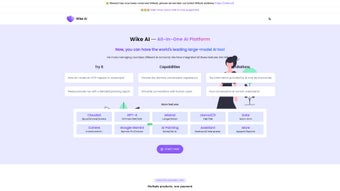
WikeAI is a comprehensive, web‑based AI writing assistant that brings together several of the most powerful large language models under a single, intuitive dashboard. Whether you are a freelance copywriter, a marketing manager, an e‑commerce merchant, or a student looking for help with essays, WikeAI lets you switch effortlessly between OpenAI’s GPT, Anthropic’s Claude 3, Mistral, and Meta’s Llama 3. This cross‑model integration is more than a convenience; it’s a strategic advantage that lets you pick the model that excels at the specific task at hand—whether you need the creative flair of Claude 3 for ad copy, the factual precision of GPT for technical documentation, or the speed and cost‑effectiveness of Llama 3 for bulk content generation.
The platform is built around a “full‑version” philosophy, meaning you get all the features you’d expect from a premium writing suite without hidden add‑ons. From blog post outlines and SEO‑friendly product descriptions to data‑driven insight generation, WikeAI equips you with a toolbox that can handle the entire content lifecycle. The interface is clean, responsive, and accessible from any modern browser, which makes the learning curve shallow even for users who are new to AI‑assisted writing.
One of the standout aspects of WikeAI is its built‑in data analysis module. While many AI writers simply spit out text, WikeAI can ingest CSV files, API responses, or raw text and surface trends, sentiment scores, and actionable recommendations. These insights can be directly fed back into the content generation process, helping you craft more engaging, data‑backed narratives. The platform also acknowledges the inherent risk of hallucinations in AI output. It includes a verification toolbar that flags statements requiring fact‑checking, giving you a safety net that many free tools lack.
Pricing is tiered and flexible, with a free trial that grants limited access to each model, followed by subscription plans that scale based on usage volume and the number of models you wish to unlock. 24/7 customer support, detailed documentation, and a growing community forum round out the offering, positioning WikeAI as a reliable partner for anyone serious about boosting productivity and quality in their writing workflow.
Core Features
- Multi‑model access: GPT, Claude 3, Mistral, Llama 3—all from one dashboard.
- Dynamic model switching based on task type or budget constraints.
- AI‑powered outline generator for blog posts, whitepapers, and e‑books.
- SEO optimizer that suggests keywords, meta tags, and readability scores.
- Product description wizard with template library for e‑commerce.
- Advertising copy creator tuned for various platforms (Google Ads, Facebook, LinkedIn).
- Integrated data analysis engine: upload CSV, JSON, or connect APIs.
- Insight dashboard that visualizes trends, sentiment, and content gaps.
- Fact‑check flagging system to highlight potentially inaccurate statements.
- Collaboration workspace with version history and comment threads.
- 24/7 live chat support and extensive knowledge base.
- Secure cloud storage with end‑to‑end encryption for all generated content.
Each feature is designed to work seamlessly together. For instance, you can start by uploading a spreadsheet of product specs, let the data analysis engine surface the most compelling selling points, and then feed those insights directly into the product description wizard. The result is a set of unique, SEO‑optimized descriptions that are both data‑driven and human‑like. The SEO optimizer goes a step further by analyzing the generated text against the latest Google ranking factors, suggesting on‑page tweaks, and even providing a readability score based on the Flesch‑Kincaid metric.
The collaboration workspace is especially useful for teams. Multiple users can work on the same document simultaneously, leave comments, and revert to earlier drafts if needed. All changes are logged, and a built‑in approval workflow lets managers review content before it goes live. This feature, combined with the platform’s robust security protocols, ensures that sensitive marketing strategies stay confidential.
From a technical standpoint, WikeAI’s architecture leverages containerized micro‑services for each AI model, guaranteeing low latency and high availability. The platform automatically routes requests to the most appropriate model based on your preferences, and you can set custom rules—such as “use Claude 3 for any copy longer than 500 words” or “fallback to Llama 3 when the usage quota for GPT is near limit.” This level of control is rarely found in competitor tools and can lead to significant cost savings over time.
Installation & Usage Guide
Because WikeAI is a fully web‑based solution, there is no traditional installation process on the user’s device. All you need is a modern browser (Chrome, Edge, Firefox, or Safari) and an internet connection. Here’s a step‑by‑step walkthrough to get you up and running in under five minutes:
- Sign up for a free account. Visit wikeai.com and click “Get Started.” You’ll be asked to provide an email address and create a password. A verification link will be sent to your inbox.
- Choose your initial model. After confirming your email, you’ll land on the dashboard where you can enable any of the four AI models for the free tier. The free plan offers 5,000 tokens per month for each model, which is sufficient for testing.
- Set up a project. Click “New Project,” give it a name (e.g., “Spring Sale Campaign”), and select the primary model you want to use. You can always add additional models later from the “Settings → Model Management” menu.
- Upload data (optional). If your content will be data‑driven, use the “Data Import” button to upload CSV, Excel, or JSON files. The platform will automatically parse the file and present a preview of detected columns.
- Generate content. Choose a template (blog outline, product description, ad copy), fill in any required fields, and hit “Generate.” The AI will produce a draft within seconds. You can then edit directly in the built‑in editor, request revisions, or switch models to see alternative outputs.
- Optimize for SEO. Once you’re happy with the draft, click the “SEO Check” tab. The tool will highlight keyword density, suggest meta titles, and provide a readability score. Adjust as needed.
- Collaborate and export. Invite teammates via the “Share” button, assign review tasks, and once approved, export the final copy as .docx, .pdf, or directly push to your CMS using the API integration.
For power users, WikeAI offers an API key that can be generated from the “Developer” section of the dashboard. This key allows you to call the platform’s endpoints from your own applications, automate content pipelines, or integrate with third‑party tools like Zapier, HubSpot, or WordPress.
When using the platform for the first time, you may notice a short “warm‑up” period where the AI models load. This is normal and usually lasts less than a minute. The system also includes a usage monitor that warns you when you’re approaching your monthly token limit, helping you avoid unexpected overages.
Overall, the user experience is smooth and requires virtually no technical expertise. The intuitive layout, guided wizards, and real‑time feedback loops make WikeAI a highly accessible solution for both beginners and seasoned content creators.
Compatibility & System Requirements
WikeAI is a cloud‑native platform, which means it works on any operating system that can run a modern web browser. This includes:
- Windows 10, 11 and later
- macOS 11 (Big Sur) and later
- Linux distributions with up‑to‑date browsers (Chrome, Firefox, Edge)
- iOS 14+ and Android 9+ for mobile access via the responsive web app
The only hard requirement is an internet connection with at least 5 Mbps download speed for optimal performance. Since all AI processing happens on WikeAI’s servers, your local hardware does not need to be particularly powerful. However, for users who intend to work extensively with large data sets (e.g., 10 MB+ CSV files), a machine with at least 8 GB of RAM and a modern multi‑core CPU will provide a smoother experience when rendering charts and visualizations.
Security is a priority. All communications between your browser and WikeAI’s servers are encrypted with TLS 1.3. The platform complies with GDPR and CCPA standards, offering data residency options for European users. For enterprise customers, a private‑cloud deployment can be arranged, which runs on AWS or Azure with dedicated VPC isolation.
In terms of browser compatibility, WikeAI leverages the latest HTML5, CSS3, and JavaScript features. It is fully functional in Chrome 92+, Edge 92+, Firefox 90+, and Safari 14+. Older browsers may still load the site but could experience reduced functionality, especially in the drag‑and‑drop data import and real‑time collaboration features.
Finally, WikeAI offers a mobile‑optimized experience that adapts the dashboard layout for smaller screens. While the full set of editing tools is available on tablets and smartphones, certain advanced visualizations (e.g., heat maps) are best viewed on a desktop or laptop for clarity.
Pros, Cons, FAQ & Conclusion
Pros
- Access to four top‑tier AI models from a single interface.
- Built‑in data analysis and insight generation.
- Robust SEO optimizer with real‑time suggestions.
- Collaboration workspace with version control.
- Flexible pricing and generous free tier.
- Secure cloud storage and compliance with major data‑privacy regulations.
Cons
- Higher token costs for premium models (GPT‑4, Claude 3) compared to basic plans.
- Internet dependency—no offline mode.
- Learning curve for advanced data‑analysis features.
- Limited native integrations; most require API usage.
- Mobile interface, while functional, is less feature‑rich than desktop.
Frequently Asked Questions
Can I use WikeAI for commercial projects?
Yes. All paid plans include a commercial‑use license, allowing you to generate and publish content for client work, marketing campaigns, and product listings without additional fees.
How does the pricing work for the different AI models?
WikeAI offers a tiered subscription model. The basic plan provides a shared token pool for all models. Higher‑tier plans allocate dedicated token quotas per model, with premium rates for GPT‑4 and Claude 3. Detailed pricing tables are available in the “Pricing” section of the dashboard.
Is my data safe when I upload files for analysis?
All uploaded files are encrypted at rest and in transit. WikeAI adheres to GDPR and CCPA standards, and enterprise customers can request data residency or a private‑cloud deployment for added compliance.
Can I integrate WikeAI with my existing CMS?
Yes. WikeAI provides a RESTful API and webhook support. You can automate content publishing to WordPress, Drupal, or custom headless CMS platforms by using the API key generated in the developer console.
What support options are available if I run into issues?
All users have access to 24/7 live chat support. Paid subscribers also receive priority email support and can schedule one‑on‑one onboarding sessions. An extensive knowledge base and community forum are freely accessible.
Conclusion & Call to Action
WikeAI stands out in the crowded AI‑writing market by delivering a truly integrated suite that combines multiple leading language models with data‑analysis capabilities, SEO optimization, and collaborative tools—all within a secure, cloud‑based environment. Its flexibility makes it suitable for freelancers crafting occasional blog posts, as well as large teams managing high‑volume content pipelines. While the reliance on an internet connection and the learning curve for advanced analytics may be considerations, the overall value proposition—especially the ability to switch models on the fly—offers a compelling productivity boost.
If you’re ready to streamline your writing workflow, enhance content quality, and leverage AI‑driven insights without juggling multiple subscriptions, sign up for the free trial of WikeAI today. Experience the power of four world‑class models in one platform, and see how much faster and smarter your content creation can become.



.png)



